
 Image 1 of 1
The extra work needs a decision before it becomes your problem.
For consultants, agencies, creatives and small service teams whose projects keep growing after the sale.
$59 USD · One-time purchase · Digital files
The problem this helps you work through
A second page. Another revision. A new deadline. Each request can sound small until you are delivering a different project for the original price. Give those requests a place to land and a clear route to a decision.
What you can do with it
- Set a dated baseline for what was sold and what was excluded.
- Classify a request as included work, a trade-off or a paid change.
- Assess time, cost, dependencies and approval conditions before agreeing.
- Use client scripts to explain the decision and track what was authorized.
What is included
- START-HERE.md
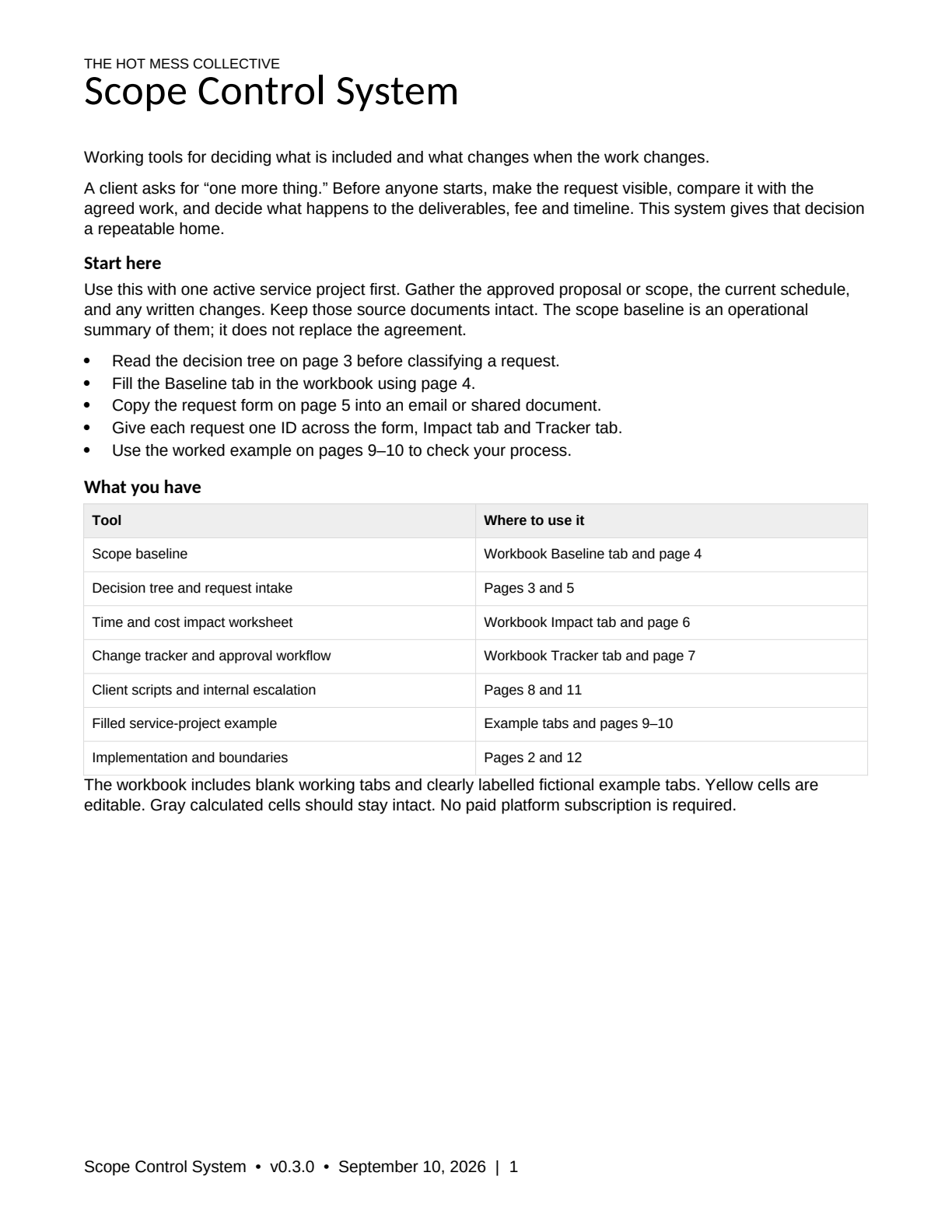
- Scope-Control-System-Guide.docx
- Scope-Control-System-Guide.pdf
- Scope-Control-Workbook.xlsx
The guide includes a filled fictional example. Editable files let you adapt the working tools to your project. No paid platform subscription is required; use a compatible document or spreadsheet editor.
Your first step
Start with one current project. Enter its baseline, then work through one new request using the guide and workbook together.
Before you buy
The workbook supports 30 requests per project file. A readiness result reflects the recorded inputs; you still verify the evidence and authority. This is an operational workflow, not contract drafting or legal advice.
This purchase covers the downloadable files and guidance. Setup, coaching and custom implementation are separate services.
Start smaller or use the pair
Try Scope Drift Detector free first. For the related workflow, Revenue Protection includes this product and Offer Profitability Calculator for $89 USD.
Already own a component? The bundle contains the same product files.
The extra work needs a decision before it becomes your problem.
For consultants, agencies, creatives and small service teams whose projects keep growing after the sale.
$59 USD · One-time purchase · Digital files
The problem this helps you work through
A second page. Another revision. A new deadline. Each request can sound small until you are delivering a different project for the original price. Give those requests a place to land and a clear route to a decision.
What you can do with it
- Set a dated baseline for what was sold and what was excluded.
- Classify a request as included work, a trade-off or a paid change.
- Assess time, cost, dependencies and approval conditions before agreeing.
- Use client scripts to explain the decision and track what was authorized.
What is included
- START-HERE.md
- Scope-Control-System-Guide.docx
- Scope-Control-System-Guide.pdf
- Scope-Control-Workbook.xlsx
The guide includes a filled fictional example. Editable files let you adapt the working tools to your project. No paid platform subscription is required; use a compatible document or spreadsheet editor.
Your first step
Start with one current project. Enter its baseline, then work through one new request using the guide and workbook together.
Before you buy
The workbook supports 30 requests per project file. A readiness result reflects the recorded inputs; you still verify the evidence and authority. This is an operational workflow, not contract drafting or legal advice.
This purchase covers the downloadable files and guidance. Setup, coaching and custom implementation are separate services.
Start smaller or use the pair
Try Scope Drift Detector free first. For the related workflow, Revenue Protection includes this product and Offer Profitability Calculator for $89 USD.
Already own a component? The bundle contains the same product files.